You've probably heard that AI agents are "just LLMs with tools." That's technically true—and completely unhelpful.
If you want to work effectively with AI coding assistants, you need a mental model of what's actually happening under the hood. Not the transformer architecture or token prediction mechanics—that's implementation detail. What you need is a conceptual understanding of the cycle that drives every interaction.
This is Part 1 of a two-part series. Here we'll cover the fundamental loop that powers AI agents. In Part 2, we'll dive into context windows, tools, and how agents know when they're done.
Why This Matters for Security Practitioners
As security professionals, we're used to understanding systems before trusting them. We don't deploy a SIEM without knowing how it processes events. We don't implement a detection rule without understanding the underlying log sources.
The same principle applies to AI agents. When you understand how they work:
- You can predict behavior — Why did the agent read that file? Why did it run that command?
- You can guide behavior — How do you steer the agent toward better outcomes?
- You can troubleshoot — When something goes wrong, you know where to look
- You can trust appropriately — Neither blind faith nor unfounded skepticism
This isn't about becoming an ML engineer. It's about building intuition that makes you a more effective collaborator.
The Loop
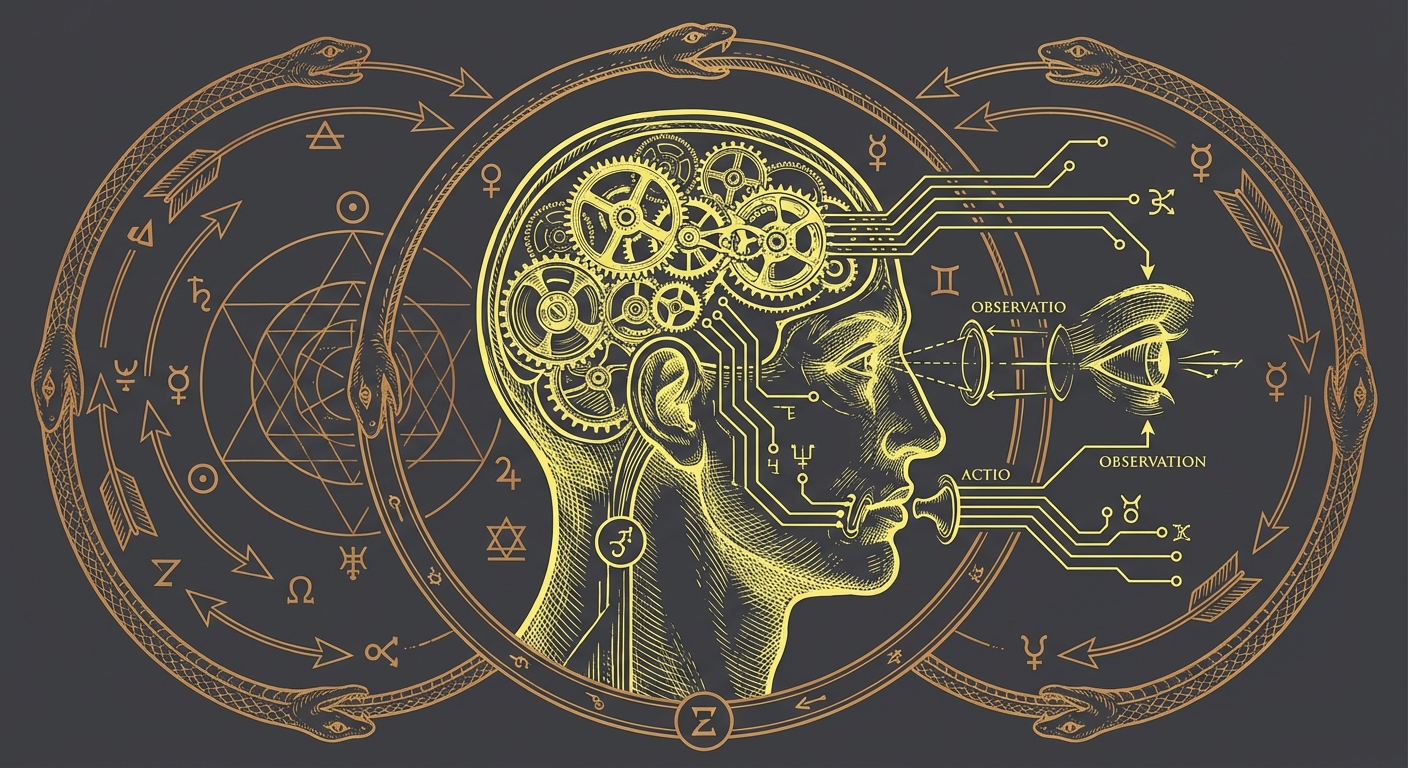
Every AI coding assistant—Claude Code, Cursor, GitHub Copilot Workspace, whatever comes next—runs some version of the same fundamental cycle.
Let's break down each phase.

Input: Where Everything Starts
The loop begins with input—your prompt combined with context. This isn't just what you typed. It includes:
- Your current message
- Conversation history
- System instructions and rules
- Any files or data already loaded
Think of it like handing an analyst a case file. The quality of their investigation depends on what's in that file. Give them incomplete information, and they'll draw incomplete conclusions. Overwhelm them with irrelevant data, and they'll miss what matters.
The same applies here. Your input shapes everything that follows.

Reason: The Decision Point
This is where the model does its work. Based on everything in the input, it reasons about:
- What is the user actually asking for?
- What do I already know?
- What do I need to find out?
- What's the best next step?
The agent doesn't follow a hardcoded script. It reasons through the problem, weighing options and deciding on an approach. This is why the same prompt can produce different results depending on context—the reasoning adapts to available information.
For a task like "review this detection rule for gaps," the agent might reason:
- I need to understand what the detection is trying to catch
- I should read the rule to see its current logic
- I'll need to know what log sources are available
- Then I can identify coverage gaps
Each of these becomes a potential action.
Act: Taking Action
Based on its reasoning, the agent takes action. This might be:
- Reading a file — Getting the contents of a detection rule, config file, or log sample
- Searching the codebase — Finding where a function is defined or how a pattern is used
- Running a command — Executing a script, running tests, querying a system
- Responding to you — When no more action is needed, the agent delivers its answer
The key insight: the agent chooses its actions based on reasoning, not predetermined steps. If it decides it needs more information, it goes and gets it. If it realizes its approach isn't working, it can pivot.
Observe: Learning From Results
After taking action, the agent observes the results. Did the file contain what was expected? Did the command succeed or fail? What new information does this provide?
This observation feeds back into reasoning. The agent updates its understanding and decides whether the task is complete or whether another cycle is needed.
A simple task might complete in one cycle. A complex task—like investigating an alert across multiple log sources—might require many cycles of reason-act-observe before reaching a conclusion.
A Worked Example
Let's trace through a realistic scenario. You ask: "Check if our Sigma rules cover LSASS credential dumping techniques."
Cycle 1:
- Reason: I need to find the Sigma rules first, then understand what LSASS techniques exist
- Act: Search for Sigma rule files in the repository
- Observe: Found 47 rules in
detections/sigma/
Cycle 2:
- Reason: Now I need to find which ones relate to LSASS or credential access
- Act: Search for "lsass" and "credential" in those files
- Observe: Found 3 rules mentioning LSASS
Cycle 3:
- Reason: I should read these rules to understand their coverage
- Act: Read each of the 3 rule files
- Observe: Rule 1 covers process access to LSASS, Rule 2 covers memory dumps, Rule 3 covers known tool signatures
Cycle 4:
- Reason: I know common LSASS techniques from my training. Let me compare coverage.
- Act: Analyze gaps between known techniques and current rules
- Observe: Missing coverage for: handle duplication, direct syscalls, MiniDumpWriteDump via comsvcs.dll
Cycle 5:
- Reason: I have enough to provide a useful answer
- Act: Respond with findings and gaps
- Observe: Task complete
Five cycles. The agent explored, gathered information, analyzed, and delivered—all driven by that fundamental loop.

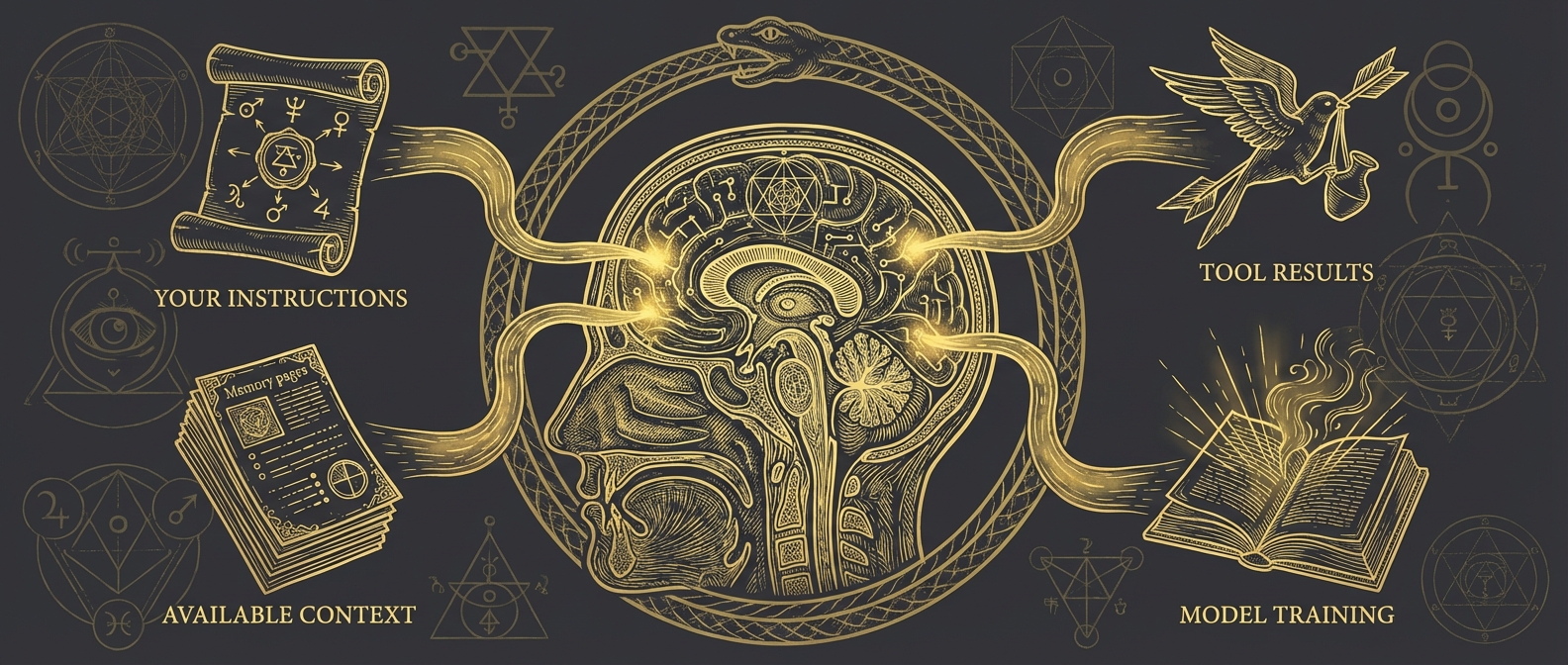
What Shapes the Agent's Decisions
The reasoning phase isn't random. Several factors influence what the agent decides to do:
Your instructions — Both what you asked and any standing rules you've configured. If your project rules say "always check test coverage," that shapes decisions.
Available context — What the agent has already learned in this conversation. If you discussed the detection framework earlier, that context informs current reasoning.
Tool results — What the agent has observed from previous actions. A failed command or unexpected file contents changes the approach.
The model's training — General knowledge about programming, security, best practices. This is the foundation, but it's always superseded by specific context.
The practical implication: you can influence decisions by shaping these inputs. Better instructions, better context, better results.
The Loop in Practice
Understanding this loop changes how you work with agents:
| Insight | Changed Behavior |
|---|---|
| Input shapes reasoning | Provide relevant context upfront |
| Multiple cycles are normal | Complex tasks take time—that's expected |
| Observation drives learning | Let the agent explore; don't over-specify |
| Actions have real effects | Be mindful of destructive operations |
When an agent seems "stuck," it's usually stuck in the reasoning phase—lacking context to decide what to do next. When it takes unexpected actions, trace back to what reasoning led there.
Key Takeaways
The fundamental cycle: Input → Reason → Act → Observe → (repeat or respond)
Reasoning is contextual: The agent adapts its approach based on available information, not fixed scripts.
Complex tasks = multiple cycles: Don't expect one-shot solutions for sophisticated problems.
You influence the loop: Better inputs lead to better reasoning lead to better actions.
What's Next
The loop is the engine, but it runs within constraints. In Part 2, we'll explore the context window (the agent's working memory), the tools that enable action, and how agents determine when a task is actually complete.
Understanding these mechanics turns you from someone who uses AI agents into someone who collaborates with them effectively.